01
MAN-035
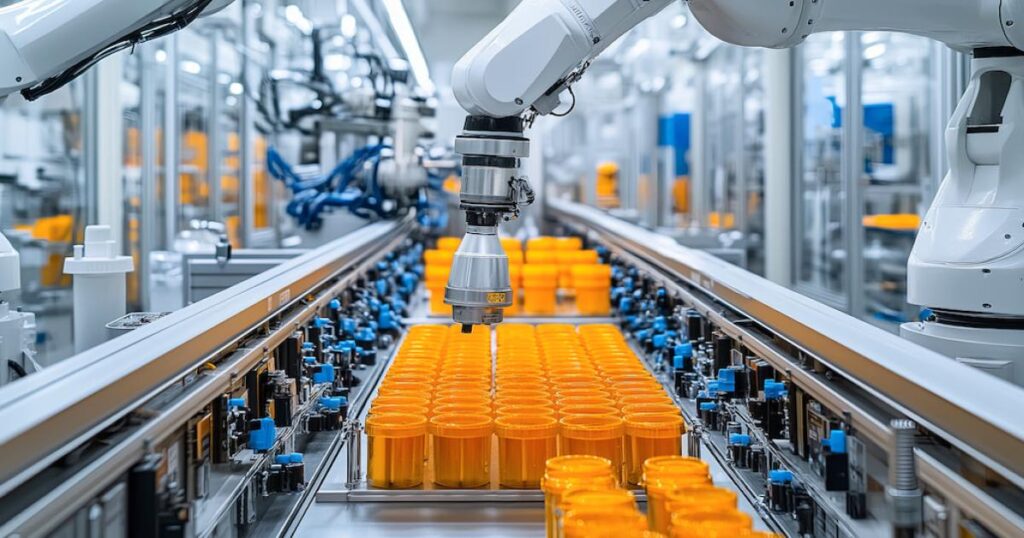
Robot Programmer
Program and validate robotic manufacturing workflows.
Simulate factory layouts, production flows, and manufacturing operations.
Manufacturing and production solutions for connecting design data with machining, inspection, shop-floor programming, lean execution, factory planning, and robotics.
Factory Simulation Engineer is a SOLIDWORKS manufacturing role that helps companies create full-scale digital replicas of their factories. These virtual factory models allow teams to test new layouts, evaluate production scenarios, calculate throughput, and understand the impact of changes before applying them in the real world. It helps manufacturing engineers, plant managers, and production teams plan factory layouts with better confidence. Instead of physically moving equipment or testing changes on the shop floor, teams can simulate operations virtually, identify bottlenecks, improve material flow, and make better decisions earlier.
Use this solution to move from engineering data to production workflows with better accuracy and control. Khodiyar Infotech supports software selection, implementation, training, and manufacturing workflow guidance.
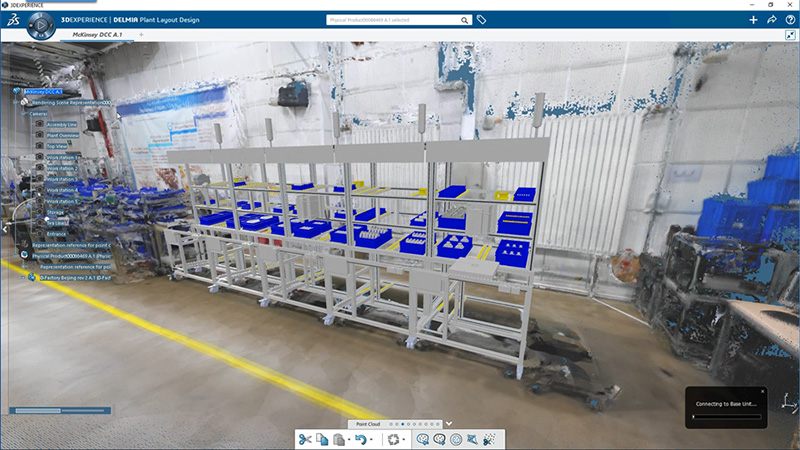
Factory Simulation Engineer supports digital continuity by connecting factory layout planning with product and manufacturing data. Teams can work with virtual factory models, test production changes, and keep planning decisions connected before making physical changes on the shop floor
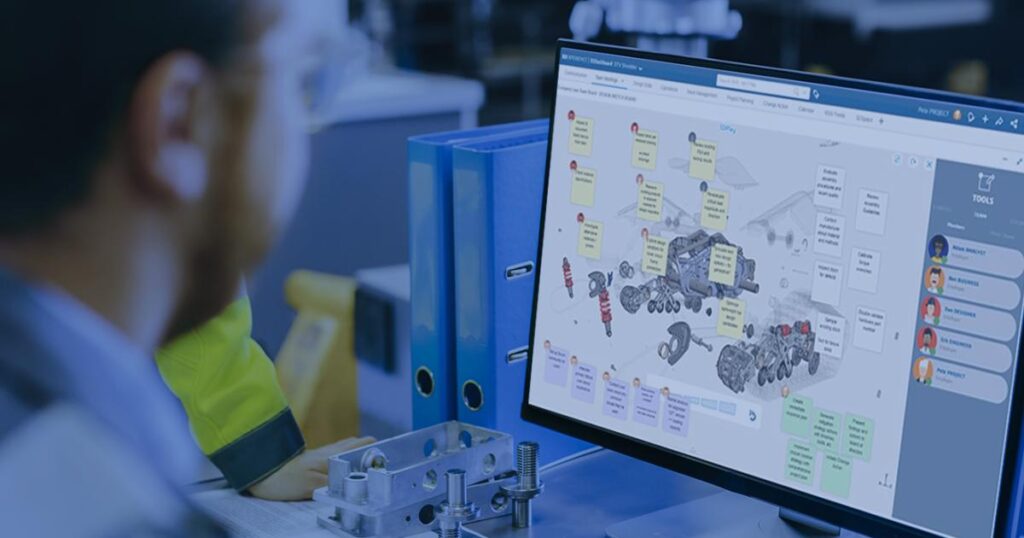
The platform facilitates collaboration among multidisciplinary teams, allowing designers, engineers, and other stakeholders to plan, simulate, and optimize a wide range of robot applications in a shared environment.
DELMIA's digital manufacturing solutions, including simulation and virtual validation tools, help optimize production processes, reduce costs, and minimize the need for physical prototypes. This efficiency can lead to quicker time-to-market for products.
Key workflow areas where this solution helps teams improve productivity, accuracy, and collaboration.
Factory Simulation Engineer helps teams plan factory changes virtually before moving equipment in the real facility. Users can create and validate proposed factory layouts, check how updates affect the production environment, and reduce the uncertainty that comes with layout changes, equipment relocation, or production line modifications.
Request Guidance →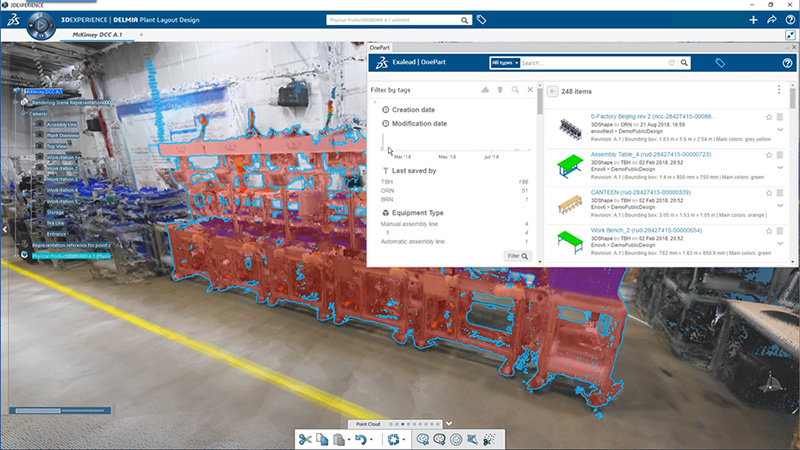
The solution helps teams analyze production flow, material movement, and resource utilization inside a virtual factory environment. Manufacturing teams can test different scenarios, identify bottlenecks, and understand how changes may impact throughput before committing to real-world implementation.
Request Guidance →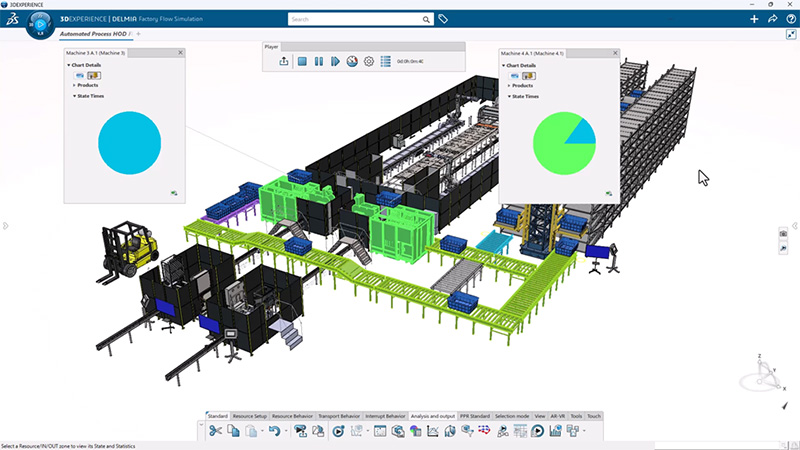
Factory Simulation Engineer supports planning for stations, lines, resources, and complete plant operations. Teams can define and validate production behavior, review process performance, and compare multiple layout or workflow options to improve manufacturing efficiency and decision-making.
Request Guidance →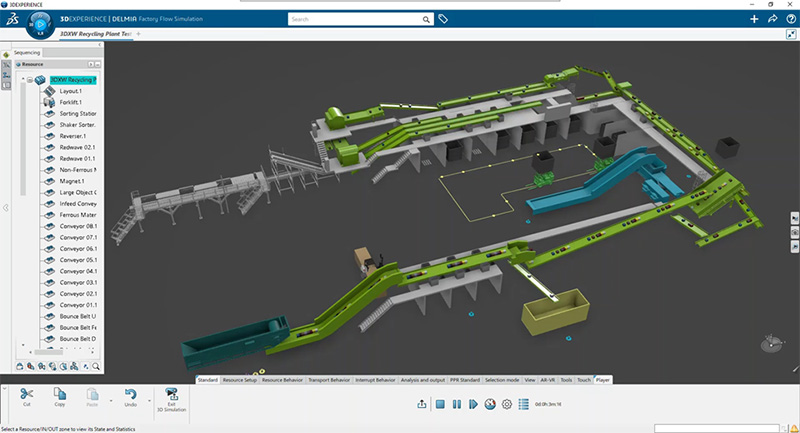
As part of the 3DEXPERIENCE Works Manufacturing portfolio, Factory Simulation Engineer connects factory planning with cloud-based collaboration and product development workflows. Teams can work with shared data, involve stakeholders, and make layout decisions with better visibility across manufacturing and engineering activities.
Request Guidance →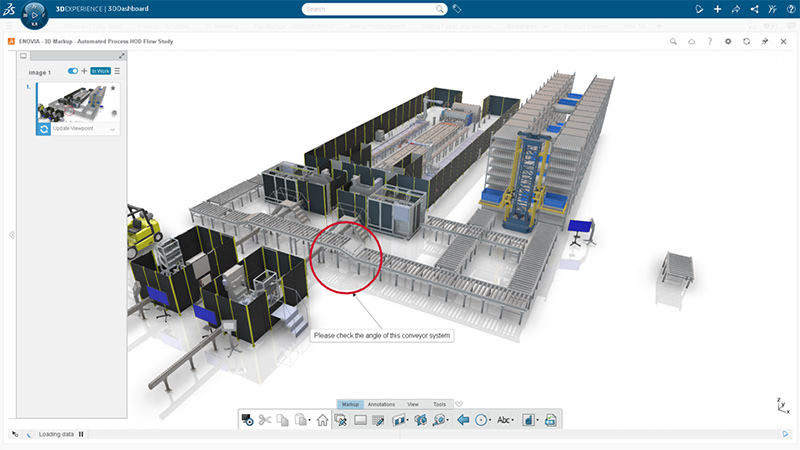
Use this section only when package comparison is relevant. Khodiyar Infotech can help you select the right license based on your workflow.
| Feature | Standard | Professional Recommended | Premium |
|---|---|---|---|
| 3D Part Modeling | ✓ | ✓ | ✓ |
| Assembly Design | ✓ | ✓ | ✓ |
| 2D Drawings | ✓ | ✓ | ✓ |
| Design Reuse Tools | ✓ | ✓ | ✓ |
| CAD Libraries | — | ✓ | ✓ |
| Manufacturability Checks | — | ✓ | ✓ |
| Cost Estimation | — | ✓ | ✓ |
| Photo-Realistic Rendering | — | ✓ | ✓ |
| Advanced Component Libraries | — | — | ✓ |
| Design Validation | — | — | ✓ |
| Motion Analysis | — | — | ✓ |
| Routing Tools | — | — | ✓ |
| Advanced Simulation | — | — | ✓ |
| Cloud Collaboration | — | ✓ | ✓ |
| Data Management Support | — | — | ✓ |
| Training and Support | ✓ | ✓ | ✓ |
Khodiyar Infotech can help you compare Standard, Professional, and Premium options based on your actual workflow.
Three ways to deploy SOLIDWORKS Design — pick the model that fits how your team actually works.
Ideal for individual designers, engineers, or professionals who need dedicated access.
Suitable for engineering teams, shared workstations, and controlled business environments.
For teams that need collaboration, review, and connected workflows across locations.
We do more than provide software. We help your team select, implement, learn, and use SOLIDWORKS with confidence.
Understand which SOLIDWORKS product and package fits your workflow.
Get clear guidance before investing in software.
Get assistance with setup, deployment, and onboarding.
Help your team build practical skills and use the software effectively.
Software value depends on how confidently your team can use it. We provide practical training to help users improve speed, accuracy, and workflow confidence.
Get up to speed on SOLIDWORKS fundamentals — modeling, sketching, drawings, and assemblies.
Tackle complex modeling techniques, surfacing, sheet metal, and weldments with expert guidance.
Train teams on shared workflows, design standards, libraries, and PDM best practices.
Program and validate robotic manufacturing workflows.
Support lean manufacturing workflows and continuous improvement activities.
Create and manage NC programs for shop-floor manufacturing workflows.
Factory Simulation Engineer is commonly used by manufacturing, industrial engineering, and operations teams that need to design, test, and optimize factory layouts virtually before making real-world changes. It helps teams evaluate production flow, resource placement, space usage, throughput, and process performance with greater confidence.
Used to design and validate new factory layouts, production areas, machine placement, workstations, storage zones, and movement paths in a virtual 3D environment.
Helps teams simulate production lines, review station performance, analyze process flow, and improve throughput before changing the actual factory setup.
Useful for studying how materials, parts, people, and equipment move through the facility so teams can reduce congestion, improve flow, and identify inefficient movement.
Used to detect production bottlenecks early by testing different layout options, resource positions, and operating scenarios before equipment is moved or installed.
Helps manufacturers plan new facilities, plant expansions, additional production areas, or capacity changes by testing multiple what-if scenarios virtually.
Supports better use of machines, operators, workstations, floor space, and production resources by comparing layouts and identifying more efficient arrangements.
Used to create virtual replicas of factories so teams can evaluate layout changes, process updates, and production scenarios before implementation.
Helpful for teams across multiple plants or locations who need to review factory plans, share simulation results, and make layout decisions in one connected environment.
Find answers to common questions about Factory Simulation Engineer, including factory digital twins, layout validation, material flow simulation, throughput analysis, resource planning, bottleneck detection, and virtual manufacturing optimization.
Factory Simulation Engineer is used to create virtual factory layouts and digital twins so teams can test production spaces, evaluate process flow, calculate throughput, and understand the impact of changes before making updates in the real factory.
Factory Simulation Engineer is used to create virtual factory layouts and digital twins so teams can test production spaces, evaluate process flow, calculate throughput, and understand the impact of changes before making updates in the real factory.
It allows engineers to design, define, and validate proposed factory layouts in a virtual environment. Teams can test equipment placement, workstation arrangements, material movement, and production flow before physically changing the factory floor.
Yes. It helps teams simulate production and material flow to identify bottlenecks early in the planning stage. This allows manufacturers to resolve issues before moving equipment or disrupting production.
Yes. Teams can test multiple layout options, production scenarios, resource positions, shift patterns, and expansion plans virtually. This helps stakeholders compare different approaches and make better decisions.
Yes. Factory Simulation Engineer helps teams analyze station performance, resource positioning, equipment usage, and production flow. This supports better throughput, improved space usage, and more efficient manufacturing operations.
Factory Simulation Engineer can help validate manufacturing processes using existing 2D layouts, 3D CAD models, and point cloud data, making it useful for both new facility planning and updates to existing factories.
Yes. It is connected to the 3DEXPERIENCE platform, which helps teams collaborate, share results, protect manufacturing and design data, and work together across facilities in one connected environment.
Khodiyar Infotech can help you understand licensing, implementation requirements, training options, and the right next step for your team.