01
DES-010

SOLIDWORKS MBD
Model-based definition tools for communicating manufacturing information directly in 3D.
Electrical schematic design software for creating intelligent diagrams, automating documentation, and improving electrical project accuracy.
SOLIDWORKS® Electrical Schematic automates repetitive tasks and rapidly generates detailed documentation via its intelligence.
SOLIDWORKS Electrical Schematic is a purpose-built electrical design solution that helps engineers create schematics faster and with greater accuracy. It automates repetitive and error-prone tasks such as numbering, labeling, documentation updates, and reports, allowing teams to spend less time auditing data and more time focusing on efficient electrical design.
Use this solution to improve the way your team creates, documents, reviews, and prepares product designs. Khodiyar Infotech helps you choose the right SOLIDWORKS software, plan licensing, train users, and support adoption after implementation.
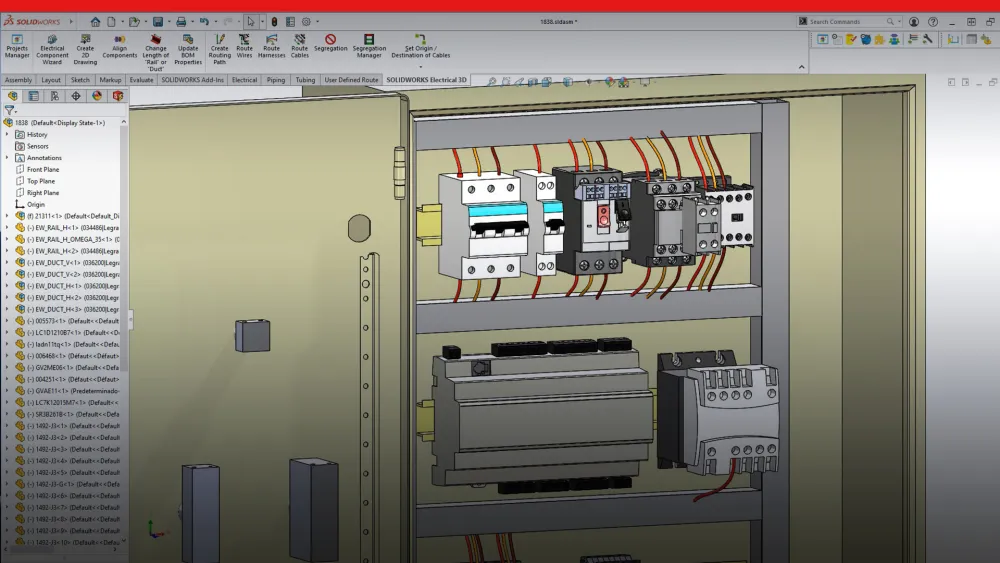
SOLIDWORKS Electrical Schematic accelerates the time to market for all products by automating the tedious and repetitive tasks often associated with schematic design, like documentation updates, thus eliminating the chance of human error.
Not only does SOLIDWORKS Electrical Schematic offer shared libraries across projects and concurrent collaboration between electrical and mechanical teams, it also helps ensure consistency across all team documents thanks to its intelligent documentation capabilities.
SOLIDWORKS Electrical Schematic is able to cut traditional documentation time by 50% or more through its automation of time-consuming and error-prone document audits. This frees up time and energy that can be better spent on driving innovation through design.
Prepare manufacturing-ready data with guidance from Khodiyar Infotech, including software selection, licensing, training, and adoption support.
Key workflow areas where this solution helps teams improve productivity, accuracy, and collaboration.
With non-parametric electrical design tools, reusing circuits often requires extra manual work. Even after copying and pasting components or circuits, users may still need to update labels, numbering, and related project documentation one by one. This can slow down the design process and increase the chances of errors. SOLIDWORKS Electrical Schematic simplifies circuit reuse with parametric design capabilities. When a circuit or component is reused in a schematic, labels, numbering, and related documentation are updated automatically across the project. This helps teams save time, maintain consistency, reduce repetitive work, and improve accuracy when working on electrical designs.
Request Guidance →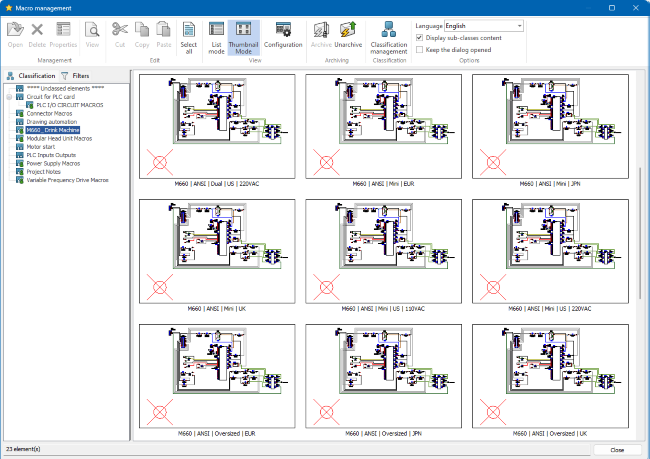
Wire numbering can become time-consuming when changes are made to pages, rows, or wiring layouts. In many cases, adding a new page or wire may require engineers to manually update wire numbers across both the schematic and related documentation. This increases documentation effort and creates a higher chance of missed updates or errors. SOLIDWORKS Electrical Schematic simplifies this process by automatically updating wire numbers as the design changes. Whether updates are needed in the wiring diagram or project documentation, the software keeps numbering consistent across the project. This helps electrical teams reduce manual checking, save documentation time, and work with greater confidence.
Request Guidance →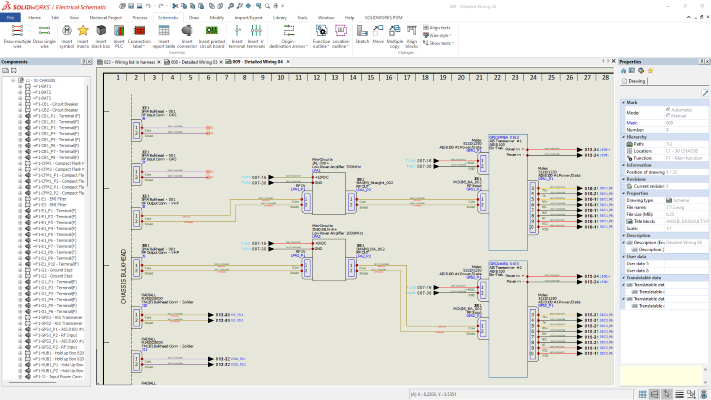
Replacing a part in an electrical design may seem simple, but updating all related documentation can become a time-consuming task. In non-parametric schematic tools, users often need to manually check labels, references, reports, and documentation to confirm that every instance of the replaced part has been updated correctly. SOLIDWORKS Electrical Schematic makes part replacement more reliable by updating related documentation as soon as the design change is made. It also helps verify that no instance of the replaced part has been missed. This reduces manual checking, minimizes human error, and helps electrical teams maintain accurate schematics and project documentation.
Request Guidance →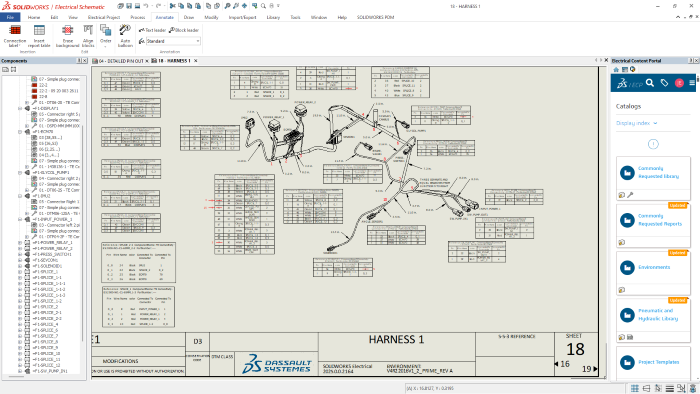
Use this section only when package comparison is relevant. Khodiyar Infotech can help you select the right license based on your workflow.
| Feature | Standard | Professional Recommended | Premium |
|---|---|---|---|
| 3D Part Modeling | ✓ | ✓ | ✓ |
| Assembly Design | ✓ | ✓ | ✓ |
| 2D Drawings | ✓ | ✓ | ✓ |
| Design Reuse Tools | ✓ | ✓ | ✓ |
| CAD Libraries | — | ✓ | ✓ |
| Manufacturability Checks | — | ✓ | ✓ |
| Cost Estimation | — | ✓ | ✓ |
| Photo-Realistic Rendering | — | ✓ | ✓ |
| Advanced Component Libraries | — | — | ✓ |
| Design Validation | — | — | ✓ |
| Motion Analysis | — | — | ✓ |
| Routing Tools | — | — | ✓ |
| Advanced Simulation | — | — | ✓ |
| Cloud Collaboration | — | ✓ | ✓ |
| Data Management Support | — | — | ✓ |
| Training and Support | ✓ | ✓ | ✓ |
Khodiyar Infotech can help you compare Standard, Professional, and Premium options based on your actual workflow.
Three ways to deploy SOLIDWORKS Design — pick the model that fits how your team actually works.
Ideal for individual designers, engineers, or professionals who need dedicated access.
Suitable for engineering teams, shared workstations, and controlled business environments.
For teams that need collaboration, review, and connected workflows across locations.
We do more than provide software. We help your team select, implement, learn, and use SOLIDWORKS with confidence.
Understand which SOLIDWORKS product and package fits your workflow.
Get clear guidance before investing in software.
Get assistance with setup, deployment, and onboarding.
Help your team build practical skills and use the software effectively.
SOLIDWORKS Electrical Schematic delivers better results when users understand how to set up projects, manage libraries, automate documentation, and use parametric electrical design tools correctly.
Training for users who need to understand project setup, schematic creation, symbols, components, wire numbering, and basic documentation workflows.
Focused training for teams working with circuit reuse, automated reports, contact cross-referencing, terminal drawings, manufacturer parts, and project libraries.
Practical training for teams that need to standardize electrical design practices, manage shared libraries, reduce documentation errors, and improve collaboration.
Model-based definition tools for communicating manufacturing information directly in 3D.
Connect ECAD and MCAD workflows for better electronics and mechanical design collaboration.
Combined electrical schematic and 3D electrical design capabilities.
SOLIDWORKS Electrical Schematic is useful for teams that need accurate electrical schematics, automated documentation, and better control over electrical project data.
For creating wiring diagrams, control schematics, and electrical documentation for industrial machines.
For designing electrical control systems, panel documentation, component references, and wiring information.
For documenting automation systems, sensors, actuators, PLC-related circuits, and machine control logic.
For managing electrical schematics and documentation for products with integrated electrical systems.
For generating BOMs, wire lists, terminal drawings, labels, and project reports from schematic data.
For teams that need shared libraries, consistent documentation, and better collaboration across electrical design projects.
Common questions teams ask before selecting, implementing, or training users on this solution.
SOLIDWORKS Electrical Schematic is an electrical design solution that helps users create schematics faster with intelligent automation, parametric design tools, and automated documentation.
It can automate repetitive tasks such as wire numbering, component labels, contact cross-referencing, terminal drawings, BOMs, wire lists, and documentation updates.
Circuit reuse allows users to copy and reuse circuits while automatically updating labels, numbering, and related documentation, reducing manual editing and audit work.
Yes. Since labels, wire numbers, parts, and reports can update with design changes, it helps reduce errors caused by manual documentation updates.
Yes. SOLIDWORKS highlights shared libraries, concurrent collaboration, and intelligent documentation capabilities as key benefits for schematic teams.
Yes. Khodiyar Infotech can help with product guidance, licensing, setup, onboarding, training, and support for SOLIDWORKS Electrical Schematic.
Khodiyar Infotech can help you understand licensing, implementation requirements, training options, and the right next step for your team.